


FreeRobux
4.7881.00 Reviews
App Specs
- Version
- 26.0.0
- Updated On
- License
- Free
- Downloads
- 100,000+
- Developer
- farm_Dev
- Categories
- Trivia
- Platform
- Android
Screenshots
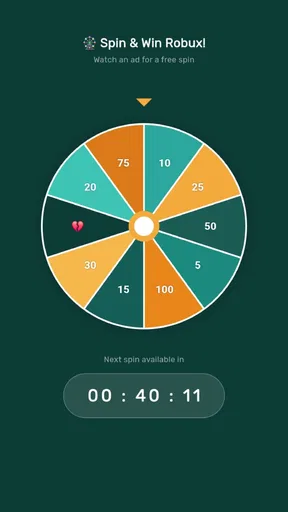
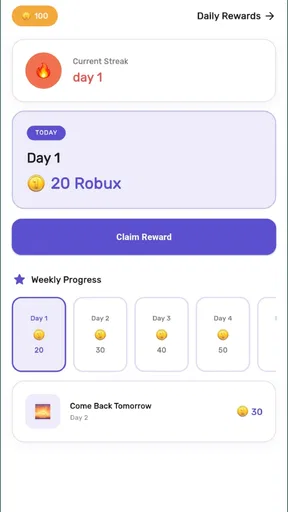
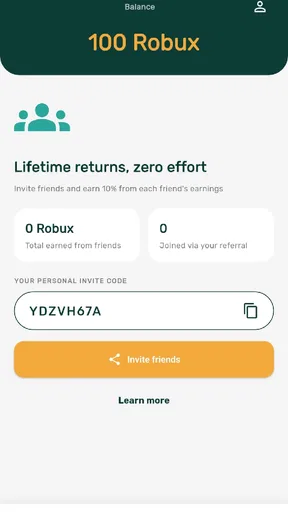
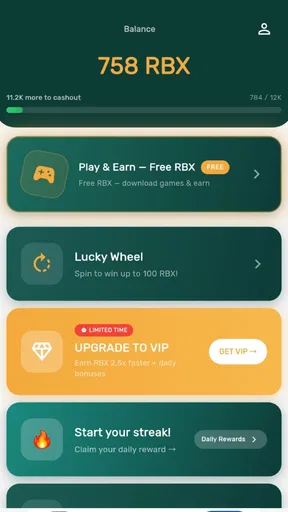
 Analysis by AppCompare
I would treat FreeRobux as a small survey-and-rewards game, not as a shortcut to guaranteed Robux. Its pitch will naturally catch the eye of Roblox players, but the useful question is more practical: do you enjoy answering surveys and checking in for rewards enough to make the process worthwhile? That is the lens I would use before installing it.
What the experience is really about
This is a trivia-style game from farm_Dev, built around completing surveys and claiming daily rewards. The store’s short label, “FreeRobux,” is easy to read as a promise of a direct payout, so I would keep expectations measured: the app’s stated activity is survey participation, and rewards are something to work toward rather than an instant result. If you want a game that keeps you busy with rounds of conventional trivia questions, this is not quite that kind of experience.
That distinction matters because survey apps ask for a different kind of patience. You may spend time reading prompts, deciding whether a survey suits you, and checking the reward flow instead of playing a self-contained quiz. I’d approach each task as an optional, small activity—not as a dependable way to earn a specific amount or meet a deadline.
The game is free to install and rated for Everyone. It has a 4.7 average from around 13,000 ratings, with over 100,000 installs. Those figures suggest that plenty of people have tried it, but they don’t tell me whether a particular survey will be available or rewarding for you. The app also offers in-app purchases, priced from $2.99 to $54.99 per item, so “free” describes the download, not necessarily every possible purchase inside it.
Who is likely to enjoy it
I can see it suiting a Roblox player who is curious about survey-based rewards, is comfortable spending spare moments on questionnaires, and doesn’t mind progress being gradual. It may also appeal to someone who likes a daily check-in routine and wants a rewards-focused app to explore alongside other games.
I would skip it if you expect a guaranteed amount of currency, need a quick result, or dislike sharing answers with survey providers. I’d also choose a regular trivia game if what you really want is a clear question, a right-or-wrong answer, and immediate gameplay. Here, the survey task—not trivia mastery—is the central trade-off.
Starting without overcommitting
When you first open it, I’d take a minute to understand what the app is asking before trying to complete everything. Check how the survey and daily-reward areas are presented, read any terms shown at the point of participation, and note whether a task explains its reward before you begin. That small pause helps you decide whether the time and questions feel worthwhile.
Worth Reading Before You Choose

EA SPORTS FC Mobile 26 Is a Bigger Football Game, but It Takes Time

Flipboard Shows What News Apps Must Do Beyond the Feed

Switching to Android Auto Means Rethinking Your Driving Routine

Google Calendar Makes a Crowded Week Easier to Manage

Ludo King Makes the Most of the Minutes Between Plans

Baby Panda World Brings Quick Play to Modern Phones, but Its Game Library Feels Busy
For a first session, keep the goal modest: look for one survey that seems relevant, read its opening carefully, and continue only if the questions and expected effort make sense to you. Survey eligibility can depend on the answers a provider is seeking, so being screened out is a normal possibility with this type of app, not a sign that you should change your answers to force a match. Honest answers are the sensible way to participate.
I’d also avoid buying anything while you are still figuring out how the reward process works. Since optional purchases can cost as much as $54.99 per item, first establish what the free route actually offers you and whether you want to keep using it. A purchase is hard to justify if you haven’t yet completed a task or understood how its outcome is shown.
Your first useful win
Rather than judging success by a large balance, I’d define the first win as completing a suitable survey and seeing what happens afterward. That gives you a real basis for deciding whether the workflow is clear, whether the time feels fair, and whether the reward appears in the place you expected. If the app presents a daily reward, checking it during that same visit also lets you understand how the check-in fits into your routine.
A practical everyday use case is a short break when you have a few uninterrupted minutes—perhaps while waiting for a ride or taking a quiet pause at home. I wouldn’t start a survey when I’m about to leave or when I need to put my phone down quickly. Losing focus halfway through a questionnaire is frustrating, and rushing through questions just to finish defeats the point of giving thoughtful answers.
One useful habit is to separate “available to try” from “worth my time.” Read the task first, then decide. If its subject feels unfamiliar, its length looks inconvenient, or the reward explanation leaves you unsure, backing out can be a better choice than pushing through. That simple filter is more valuable than treating every survey as an obligation.
Where confusion can arise
The biggest source of misunderstanding is the name. “FreeRobux” can sound like the app itself hands out Robux on demand, while the described route is completing surveys and claiming daily rewards. I would not assume that installing the game alone creates a payout, or that every survey guarantees a particular result. Treat the reward path as something to inspect in the app before investing much time.
Another common point of friction is survey screening. A questionnaire may begin with eligibility questions and then stop if your answers do not fit what it is seeking. That can feel like wasted effort, especially if you were expecting a standard quiz with a finish line. I’d use the first few attempts to learn how often the available tasks suit you, and avoid interpreting one unsuitable survey as a promise that the next will work out.
It is also worth keeping the app’s two kinds of value separate. A daily reward may make opening it regularly feel worthwhile, while surveys involve a more variable commitment. If you only want a quick check-in, don’t feel obliged to start a long task. If you want a predictable entertainment session, a conventional trivia game will probably be a better fit.
How it compares with ordinary trivia and rewards apps
Compared with a standard trivia title, this game is less about testing knowledge and more about engaging with survey offers. A conventional quiz usually gives you a defined round and an immediate outcome; a survey-based experience asks you to assess each task and tolerate the possibility that it may not suit you. That makes this a more situational choice: handy when you have spare time and curiosity, less appealing when you want uninterrupted play.
Compared with general rewards apps, its focus on Roblox-related appeal may be the reason to try it, but I would still judge it by the clarity of its survey steps and how comfortable I feel with the process. Don’t choose it solely because its name sounds more direct than a typical rewards app. The important comparison is not which title makes the boldest promise, but which one explains tasks clearly and fits your willingness to answer questions.
A less obvious trade-off is that a daily check-in can encourage consistency without guaranteeing that a useful survey will be waiting whenever you open the app. I’d make the reward check a quick habit and treat surveys as optional. That keeps the app from taking over your free time just because you feel you need to visit every day.
What I would check before continuing
After trying an initial task, I’d ask myself three things: did I understand what I was agreeing to, did the time feel reasonable, and could I tell what the result was? If any answer is no, pause before trying more surveys or spending money. For a rewards app, clarity is part of the experience; you should be able to make an informed choice without guessing what a button or offer means.
Keep personal information in mind, too. Surveys can ask for opinions or other responses, so read each prompt and decide what you are comfortable sharing. I would leave a task if it requests details I don’t want to provide or if its terms are unclear. The appeal of a possible reward does not make every question worth answering.
The current version is 26.0.0, and it requires Android 7.0 or later. That makes the compatibility check straightforward for Android users: confirm your device meets the minimum before installing. The game was released on May 10, 2026, and its age rating is Everyone, though that rating is not a substitute for reviewing individual survey prompts or purchase choices.
My recommendation for a first-time user
I’d give it a cautious try if you’re specifically interested in survey-based rewards connected with Roblox and can spare occasional, unhurried time. Start with the free experience, inspect one task from beginning to end, and only then decide whether a daily check-in or another survey belongs in your routine. The 4.7 average is encouraging as a broad snapshot, but your own first completed task is a better guide to whether the app suits you.
The best way to approach it is as an optional side activity, not a promise of quick currency. If the surveys feel clear and the process is comfortable, it may earn a place among your casual apps. If you find yourself rushing, guessing about rewards, or feeling pushed toward purchases, step away and choose a conventional trivia game or another activity instead. That’s a fair outcome: the app is most useful when its survey format genuinely fits the way you want to spend a spare few minutes.
A calmer way to fit it into a routine
I’d put the app in the same mental category as checking a rewards inbox, not starting a game session with a fixed endpoint. For example, if I had a quiet moment after lunch, I could first glance at the daily reward, then decide whether any survey is worth opening. If none looks suitable, closing the app is a sensible outcome rather than a failed visit. That boundary helps keep a casual routine from turning into pressure to complete whatever appears.
This approach is especially useful for younger players or anyone sharing a device with family. The Everyone age rating describes the game’s general audience, but survey questions and purchase prompts still deserve an adult’s attention where appropriate. I’d review the wording together before answering personal questions, and keep purchase decisions separate from the excitement of hoping for a reward. The app is easier to evaluate when the choice to participate stays deliberate.
Deciding whether a survey is worth opening
A practical first-pass check is to read the opening screen for the subject, the effort being requested, and the reward information shown there. Then ask whether you can answer accurately without searching for information or guessing. Surveys work best when your responses reflect your real views; trying to optimize answers for eligibility can make the task uncomfortable and may undermine the point of participating. If the task doesn’t feel clear at the outset, there is little reason to force it.
It also helps to consider what you would do with the time otherwise. A short, well-explained task may suit a quiet pause, while a vague or demanding one may compare poorly with simply playing a trivia game for entertainment. That is the central choice here: this title asks for attention in exchange for a possible reward, whereas ordinary quiz games provide the activity itself as the immediate payoff. Neither format is universally better, but they serve different moods.
What a good first session can tell you
After one visit, I’d look for a simple chain of understanding: can I tell which activity I chose, what I’m being asked to do, and where to check the result? If that sequence feels straightforward, the app may be manageable as an occasional side activity. If you are unsure whether you finished, whether a reward was applied, or what a prompt meant, pause and review the in-app explanation before trying another task. Repeating an unclear process rarely makes it more worthwhile.
My overall recommendation stays cautious but open-minded. FreeRobux makes the most sense for someone who already wants to explore survey-based rewards and can treat each offer as optional. It is a weaker match for anyone who wants guaranteed currency, a pure quiz game, or a predictable use of every spare minute. Begin with one carefully chosen task, keep purchases out of the decision until you understand the experience, and let the clarity and comfort of that first attempt determine whether you return.
Pros
- Simple interface makes the main features easy to find.
- Lightweight design should run smoothly on many devices.
- Offers a straightforward way to learn about Robux-related topics.
- Can be useful for younger users exploring Roblox currency concepts.
- Free to download
- so users can check it out without an upfront cost.
Cons
- Does not provide a guaranteed or official way to obtain free Robux.
- May include ads that interrupt browsing.
- Be cautious of any requests for Roblox login details or personal data.
- Offers and features may vary by region or change over time.
- Users should verify claims independently before following links or promotions.
FAQs for FreeRobux
What is FreeRobux, and how does it work?
FreeRobux is a name used by various apps and websites that claim to help users earn or obtain Robux, the virtual currency for Roblox. The exact features depend on the specific product, so check its description, developer, and reviews before installing. Roblox does not provide an official way to generate unlimited Robux through third-party tools, and claims promising guaranteed free currency should be treated cautiously.
Can FreeRobux really give me free Robux?
There is no reliable basis for assuming that an app called FreeRobux can add Robux to your Roblox account. Third-party apps cannot legitimately create Roblox currency, and offers may instead involve surveys, advertisements, or other tasks without guaranteeing a reward. For safer options, use Roblox’s official purchase methods, eligible gift cards, or creator programs, and verify any promotion through Roblox’s official channels.
Is FreeRobux safe to download and use?
Safety depends on the exact app, its source, and the information it requests. Before downloading, review the publisher, permissions, privacy policy, and recent user feedback, and avoid installing files from unknown websites. Never share your Roblox password, verification codes, or payment details with a third-party reward app. Be particularly wary of tools that ask you to disable device protections or promise instant, unlimited Robux.
Does FreeRobux require my Roblox login or personal information?
Requirements can differ between products using the FreeRobux name, but a legitimate reward offer should not need your Roblox password or security codes. Do not enter account credentials into an unfamiliar app, website, or form, even if it claims this is necessary to deliver Robux. If you have already shared them, change your password, enable two-step verification, and review your account’s active sessions and security settings.
Is FreeRobux available on Android and iOS, and should I download it?
Availability depends on the particular app and may vary by country or change over time. Search the official Google Play Store or Apple App Store and confirm that the listing matches the product you intend to use; avoid look-alike apps and unofficial download links. Read the current listing carefully, including its data practices and in-app purchases. If its rewards or permissions seem unclear, do not install it.


